
MoCA for beginners
This is the practical MoCA tutorial: what MoCA is, the parts you need, where the POE filter goes, and how to wire it so your mesh stops being flaky.
Quick take
If you have coax jacks near your router and near a dead zone, MoCA is often the fastest path to ‘it just works’ Wi‑Fi.
Step 1 — Confirm coax is usable
- Find where coax lines join (structured media panel, garage, closet).
- Assume you need a MoCA-rated splitter unless you know it’s new.
Step 2 — Buy the right parts (bundle-first)
MoCA starter bundle
Adapters + splitter + POE filter cover most homes. Add a switch later if you need more ports.

goCoax MA2500D (two-adapter pack)
goCoax MoCA 2.5 Adapter (2-Pack) with 2.5GbE Ethernet Port | MA2500D Ethernet Over Coax for Gaming & 4K Streaming | 2…
Best for: a verified coax LAN path needing two endpoints
- MoCA 2.5 with one 2.5GbE Ethernet port per adapter
- Two compatible peers required; count existing LAN MoCA equipment
Skip this if: Working Ethernet or existing compatible MoCA already meets the need, or the coax carries satellite/unknown shared or ISP service. Map the path before buying; do not buy two new adapters when only one peer is missing.
Check before buying: Needs at least two compatible MoCA peers on a connected 1125–1675 MHz path. Count a compatible built-in LAN MoCA peer before ordering; verify active ISP spectrum and splitters. Not for active satellite coax.
Product fit and sources · 2026-09-13
AI-assisted manufacturer-document review, not hands-on testing.
goCoax MA2500D, 2.5GbE port, two-adapter pack. Verify pack quantity and included power supplies in the selected listing.
Retailer reported in stock (2026-09-13). Availability checks are not editorial approval.

MoCA POE filter
Filter, MoCA POE for Cable TV & OTA coaxial Networks ONLY
Best for: MoCA installs
- Improves MoCA reliability
- Often recommended
MoCA-rated splitter
Best for: MoCA installs
- Reduces MoCA issues
- Cheap fix

RG6 coax cable
GE RG6 Coaxial Cable, 25 ft. F-Type Connectors, Quad Shielded Coax Cable, 3 GHz Digital, In-Wall Rated, Ideal for TV…
Best for: MoCA installs, coax cleanup
- Replace mystery coax jumpers
- Cheap reliability upgrade
Next: What is MoCA? · MoCA starter bundle · MoCA troubleshooting · MoCA adapters (quick picks)
Step 3 — Install the POE filter (when applicable)
- Cable ISP: at the coax entry point before the first splitter.
- Fiber/no provider coax: optional, but can still help isolation.
Step 4 — Wire it (diagram)
Diagram
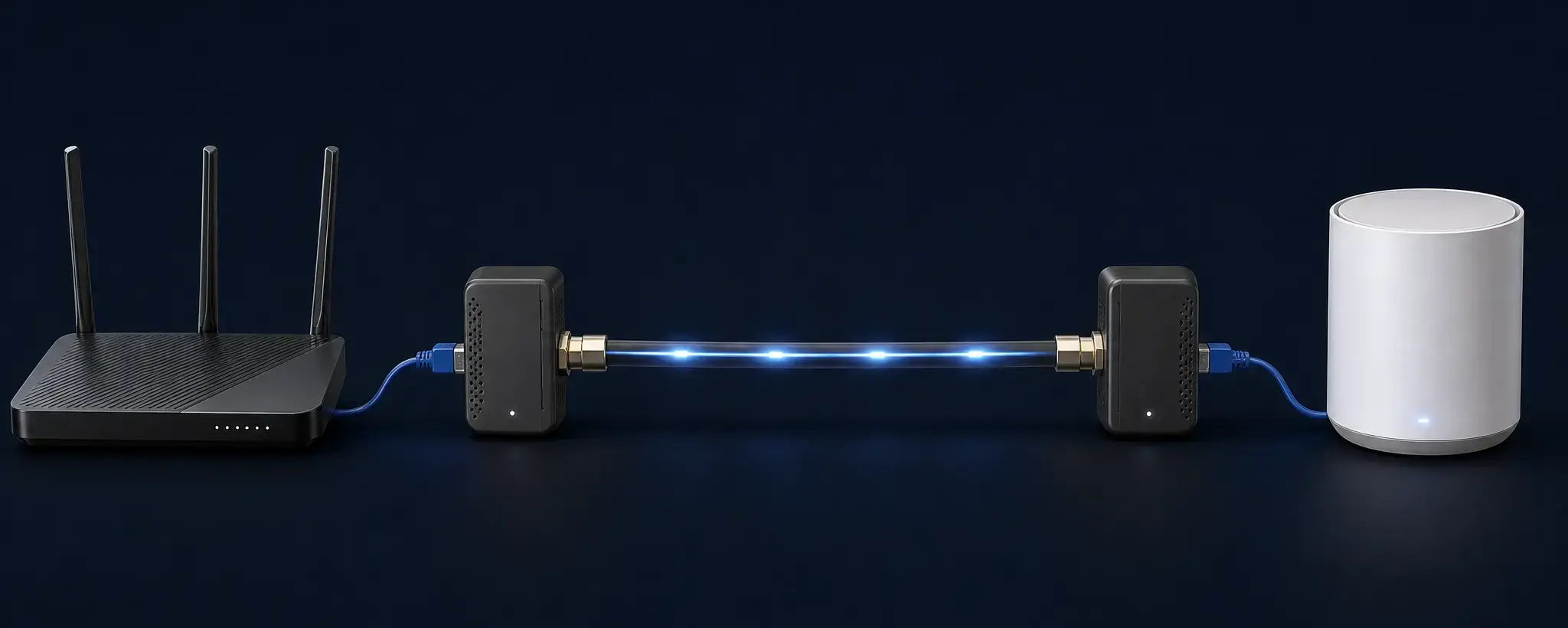
Two MoCA adapters turn your existing coax into a wired link for a mesh node (splitter/filter details vary by home).
Step 5 — Test + troubleshoot
- If the MoCA link light doesn’t come up, it’s usually a coax tree/splitter issue.
- Use: MoCA troubleshooting.