
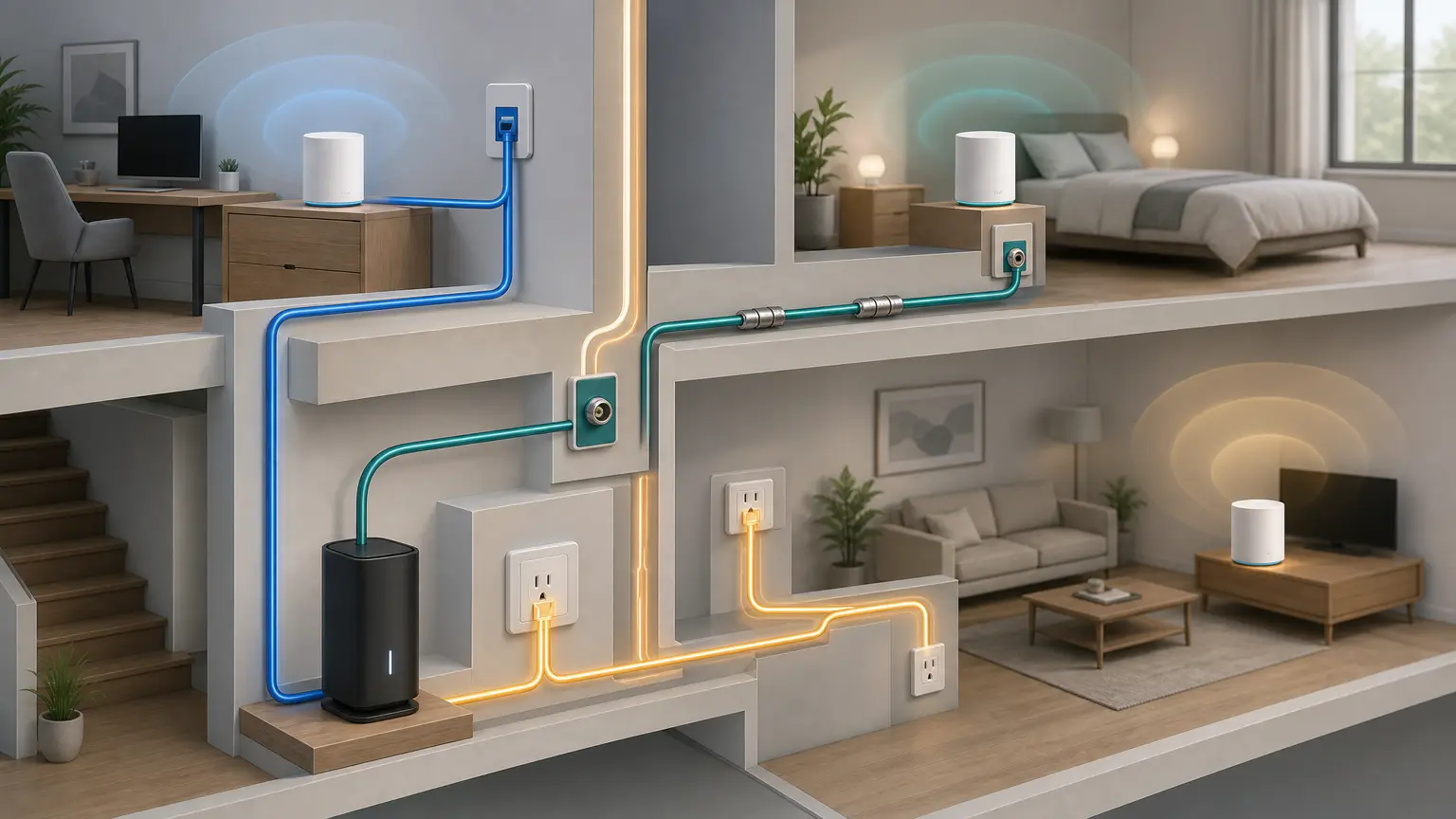
If you need reliable backhaul, this is the decision tree that prevents wasted purchases.
Fast decision
Can you run one cable? Choose Ethernet. Have coax jacks already? Choose MoCA. No coax and no clean cable path? Only then try powerline.
Choose the backhaul that fits the house
| Constraint | Best first move | Buy or setup next |
|---|---|---|
| Clean cable path, basement, attic, crawlspace, or a short visible run | Ethernet. It is the most predictable mesh backhaul and the least likely to need troubleshooting later. | Plan the Ethernet run |
| Coax jacks near the router and the weak room | MoCA 2.5. Treat the coax like a hidden Ethernet path, then check splitters and the PoE filter before judging speed. | Use the MoCA starter checklist |
| Apartment or condo where drilling is not realistic | Try low-visibility Ethernet first if a baseboard or raceway run is possible; use MoCA only when the coax is inside your unit. | See apartment backhaul options |
| MoCA adapters link, but the mesh app still says wireless | Confirm wired backhaul in the mesh app before buying more nodes. Reboot in order and remove loops or wrong-side switch paths. | Fix wired-backhaul detection |
| No usable coax, no clean Ethernet path, and placement is already reasonable | Powerline only as a returnable fallback. It depends on electrical wiring, outlet choice, and circuit noise. | Read powerline caveats |
| You are not sure whether this is coverage or backhaul yet | Run one walk test first. If the room has weak signal, placement or another node may matter more than adapters. | Run the Wi-Fi walk test |
Intent-fit shortcut before you buy
| What you are trying to fix | Best route | Why |
|---|---|---|
| Gaming lag, video-call jitter, or bufferbloat that gets worse on the far mesh node | Wire that node first | Latency-sensitive problems usually improve more from a stable uplink than from another wireless hop. |
| Xfinity, Frontier, or another ISP gateway already has coax in the wiring closet | Check gateway MoCA or Frontier MoCA | Some gateways can bridge MoCA or change how many adapters you need. |
| You rent and only control the room jacks inside your unit | Use the apartment MoCA checklist | Shared-building coax, filters, and locked telecom rooms can make a normal MoCA plan unsafe to assume. |
| You are shopping because the app says the node is wireless | Fix detection before buying | A cable, switch loop, port choice, or reboot-order problem can make good MoCA or Ethernet look broken. |
If none of those matches, stay with the simple rule: Ethernet when you can run cable, MoCA when coax is usable, and powerline only as a returnable fallback.
Fast decision (pick one)
- Ethernet: you can run a cable or hide one cleanly.
- MoCA: you have usable coax in both places and can add the right splitter/filter parts.
- Apartment path: use no-drill Ethernet or in-unit coax; avoid shared-building coax surprises.
- Powerline: only if neither Ethernet nor MoCA is possible, and only with easy returns.
What to buy (bundle-first)
Ethernet backhaul starter bundle
If you can run even one Cat6 to the worst dead zone, do this first.

Cat6 Ethernet Cable
Amazon Basics RJ45 Cat-6 Ethernet Patch Internet Cable, 1Gbps Transfer Speed, Gold-Plated Connectors, 50 Foot, for PC…
Best for: wired mesh nodes, workstations
- Reliable backhaul
- Cheap performance upgrade

Unmanaged Gigabit Switch (8‑port)
TP-Link 8 Port Gigabit Ethernet Network Switch - Ethernet Splitter | Plug & Play | Fanless | Sturdy Metal w/ Shielded…
Best for: wired backhaul, home office, multiple devices
- Adds Ethernet ports
- Plug-and-play
Next: Ethernet backhaul basics · Wired backhaul for mesh · Backhaul hub
MoCA backhaul starter bundle
If you have coax, MoCA is usually the fastest path to stable mesh.

goCoax MA2500D (two-adapter pack)
goCoax MoCA 2.5 Adapter (2-Pack) with 2.5GbE Ethernet Port | MA2500D Ethernet Over Coax for Gaming & 4K Streaming | 2…
Best for: a verified coax LAN path needing two endpoints
- MoCA 2.5 with one 2.5GbE Ethernet port per adapter
- Two compatible peers required; count existing LAN MoCA equipment
Skip this if: Working Ethernet or existing compatible MoCA already meets the need, or the coax carries satellite/unknown shared or ISP service. Map the path before buying; do not buy two new adapters when only one peer is missing.
Check before buying: Needs at least two compatible MoCA peers on a connected 1125–1675 MHz path. Count a compatible built-in LAN MoCA peer before ordering; verify active ISP spectrum and splitters. Not for active satellite coax.
Product fit and sources · 2026-09-13
AI-assisted manufacturer-document review, not hands-on testing.
goCoax MA2500D, 2.5GbE port, two-adapter pack. Verify pack quantity and included power supplies in the selected listing.
Retailer reported in stock (2026-09-13). Availability checks are not editorial approval.

MoCA POE filter
Filter, MoCA POE for Cable TV & OTA coaxial Networks ONLY
Best for: MoCA installs
- Improves MoCA reliability
- Often recommended
MoCA-rated splitter
Best for: MoCA installs
- Reduces MoCA issues
- Cheap fix

RG6 coax cable
GE RG6 Coaxial Cable, 25 ft. F-Type Connectors, Quad Shielded Coax Cable, 3 GHz Digital, In-Wall Rated, Ideal for TV…
Best for: MoCA installs, coax cleanup
- Replace mystery coax jumpers
- Cheap reliability upgrade
Next: What is MoCA? · MoCA starter bundle · MoCA troubleshooting · MoCA adapters (quick picks)
When powerline is acceptable
- You’re in a smaller space and just need one remote room stable.
- You can plug adapters directly into wall outlets (not power strips).
- You’re ok with ‘good enough’ vs consistent peak speeds.
If you’re tempted to buy a 4th mesh node, try MoCA first. It’s usually a better reliability bet.
What I’d do in real life
- Own the walls / attic? Run Ethernet and stop thinking about it.
- Already have coax where you need it? Use MoCA and spend your effort on splitters + filter placement.
- Renting or totally stuck? Try powerline only as a fallback, and buy from somewhere with easy returns.
Still not sure whether the issue is coverage or weak hops? Do the Wi‑Fi walk test first.
goCoax MA2500D (two-adapter pack)
goCoax MoCA 2.5 Adapter (2-Pack) with 2.5GbE Ethernet Port | MA2500D Ethernet Over Coax for Gaming & 4K Streaming | 2…
Best for: a verified coax LAN path needing two endpoints
- MoCA 2.5 with one 2.5GbE Ethernet port per adapter
- Two compatible peers required; count existing LAN MoCA equipment
Skip this if: Working Ethernet or existing compatible MoCA already meets the need, or the coax carries satellite/unknown shared or ISP service. Map the path before buying; do not buy two new adapters when only one peer is missing.
Check before buying: Needs at least two compatible MoCA peers on a connected 1125–1675 MHz path. Count a compatible built-in LAN MoCA peer before ordering; verify active ISP spectrum and splitters. Not for active satellite coax.
Product fit and sources · 2026-09-13
AI-assisted manufacturer-document review, not hands-on testing.
goCoax MA2500D, 2.5GbE port, two-adapter pack. Verify pack quantity and included power supplies in the selected listing.
Retailer reported in stock (2026-09-13). Availability checks are not editorial approval.
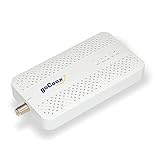
goCoax MA2500D (single adapter)
goCoax MoCA 2.5 Adapter with 2.5GbE Ethernet Port | MA2500D Ethernet Over Coax for Gaming & 4K Streaming | 2.5Gbps, P…
Best for: a verified coax LAN path needing one additional endpoint
- MoCA 2.5 with one 2.5GbE Ethernet port per adapter
- Two compatible peers required; count existing LAN MoCA equipment
Skip this if: Working Ethernet or existing compatible MoCA already meets the need, or the coax carries satellite/unknown shared or ISP service. Map the path before buying; do not buy two new adapters when only one peer is missing.
Check before buying: Needs at least two compatible MoCA peers on a connected 1125–1675 MHz path. Count a compatible built-in LAN MoCA peer before ordering; verify active ISP spectrum and splitters. Not for active satellite coax.
Product fit and sources · 2026-09-13
AI-assisted manufacturer-document review, not hands-on testing.
goCoax MA2500D, 2.5GbE port, single adapter. Verify pack quantity and included power supplies in the selected listing.
Retailer reported in stock (2026-09-13). Availability checks are not editorial approval.

Actiontec ECB6250 (ScreenBeam) MoCA 2.5
ScreenBeam MoCA 2.5 Network Adapter for Higher Speed Internet, Ethernet Over Coax - Starter Kit (Model: ECB6250K02)
Best for: premium performance, reliability-focused setups
- MoCA 2.5
- Solid reliability
- Good premium option
Unmanaged Gigabit Switch (8‑port)
TP-Link 8 Port Gigabit Ethernet Network Switch - Ethernet Splitter | Plug & Play | Fanless | Sturdy Metal w/ Shielded…
Best for: wired backhaul, home office, multiple devices
- Adds Ethernet ports
- Plug-and-play
Cat6 Ethernet Cable
Amazon Basics RJ45 Cat-6 Ethernet Patch Internet Cable, 1Gbps Transfer Speed, Gold-Plated Connectors, 50 Foot, for PC…
Best for: wired mesh nodes, workstations
- Reliable backhaul
- Cheap performance upgrade
MoCA-rated splitter
Best for: MoCA installs
- Reduces MoCA issues
- Cheap fix
MoCA POE filter
Filter, MoCA POE for Cable TV & OTA coaxial Networks ONLY
Best for: MoCA installs
- Improves MoCA reliability
- Often recommended
RG6 coax cable
GE RG6 Coaxial Cable, 25 ft. F-Type Connectors, Quad Shielded Coax Cable, 3 GHz Digital, In-Wall Rated, Ideal for TV…
Best for: MoCA installs, coax cleanup
- Replace mystery coax jumpers
- Cheap reliability upgrade
TP-Link Omada POE160S — Gigabit PoE+ injector
Best for: one compatible 802.3af/at access point without an existing power source
- Active 802.3af/at PoE+
- Gigabit data; up to 30 W injector output
Skip this if: Your access point already has suitable power, or needs passive PoE, 802.3bt, more delivered power than 802.3at supports, or faster-than-Gigabit Ethernet. Ordinary non-PoE mesh nodes cannot be powered just by adding an injector.
Check before buying: One Gigabit data input and one powered Gigabit output. Active IEEE 802.3af/at; up to 30 W at the injector, less at the powered device after cable loss. Match the access point's standard and required delivered power; Ethernet alone does not imply PoE support.
Product fit and sources · 2026-09-23
AI-assisted manufacturer-document and exact-offer review, not hands-on testing.
TP-Link Omada POE160S — Gigabit PoE+ injector; one unit with its supplied power accessories. Selected US retail offer; match the model and variant before buying.
Retailer reported in stock (2026-09-23). Availability checks are not editorial approval.
TP-Link LS108GP — 8-port Gigabit PoE+ switch
Best for: multiple compatible low-power PoE devices within a checked power budget
- Active 802.3af/at PoE+
- 62 W shared budget; up to 30 W per port
Skip this if: Your existing PoE equipment or supplied power adapters already meet the need; you need more than 62 W total, more than 30 W per port, multigigabit, managed VLAN controls, passive PoE or 802.3bt. Do not assume seven devices can each draw maximum power.
Check before buying: Eight total Gigabit ports; the router uplink uses one, leaving at most seven device connections. IEEE 802.3af/at, 30 W maximum at each PoE+ port, but only 62 W shared across all powered devices. Allow for cable losses and check each device requirement. Use standard mode for Gigabit links; do not assume Extend mode keeps Gigabit speed.
Product fit and sources · 2026-09-23
AI-assisted manufacturer-document and exact-offer review, not hands-on testing. Manufacturer 62 W shared budget takes precedence over the conflicting 65 W retailer bullet.
TP-Link LS108GP — 8-port Gigabit PoE+ switch; one unit with its supplied power accessories. Selected US retail offer; match the model and variant before buying.
Retailer reported in stock (2026-09-23). Availability checks are not editorial approval.