
MoCA vs Ethernet for Backhaul: Speed and Reliability
On this page
If you can connect your mesh or access points with a real wire, you almost always eliminate “dead zones” and random slowdowns. The two most common ways people do that at home are:
- Ethernet (Cat5e/Cat6 cable run between rooms)
- MoCA (networking over your existing coax cable TV wiring)
This page helps you choose between them for backhaul: the link that connects your WiFi nodes to your router (and to each other). We’ll focus on what matters in real homes: throughput, latency/jitter, reliability, install difficulty, and total cost.
Quick answer (most homes)
- Ethernet is best when you can run it: lowest latency, highest predictability, easiest to troubleshoot long-term.
- MoCA is the best retrofit when you can’t (or don’t want to) open walls: it’s usually much faster and more stable than wireless backhaul, and “good enough” for gigabit internet and low-latency gaming in most layouts.
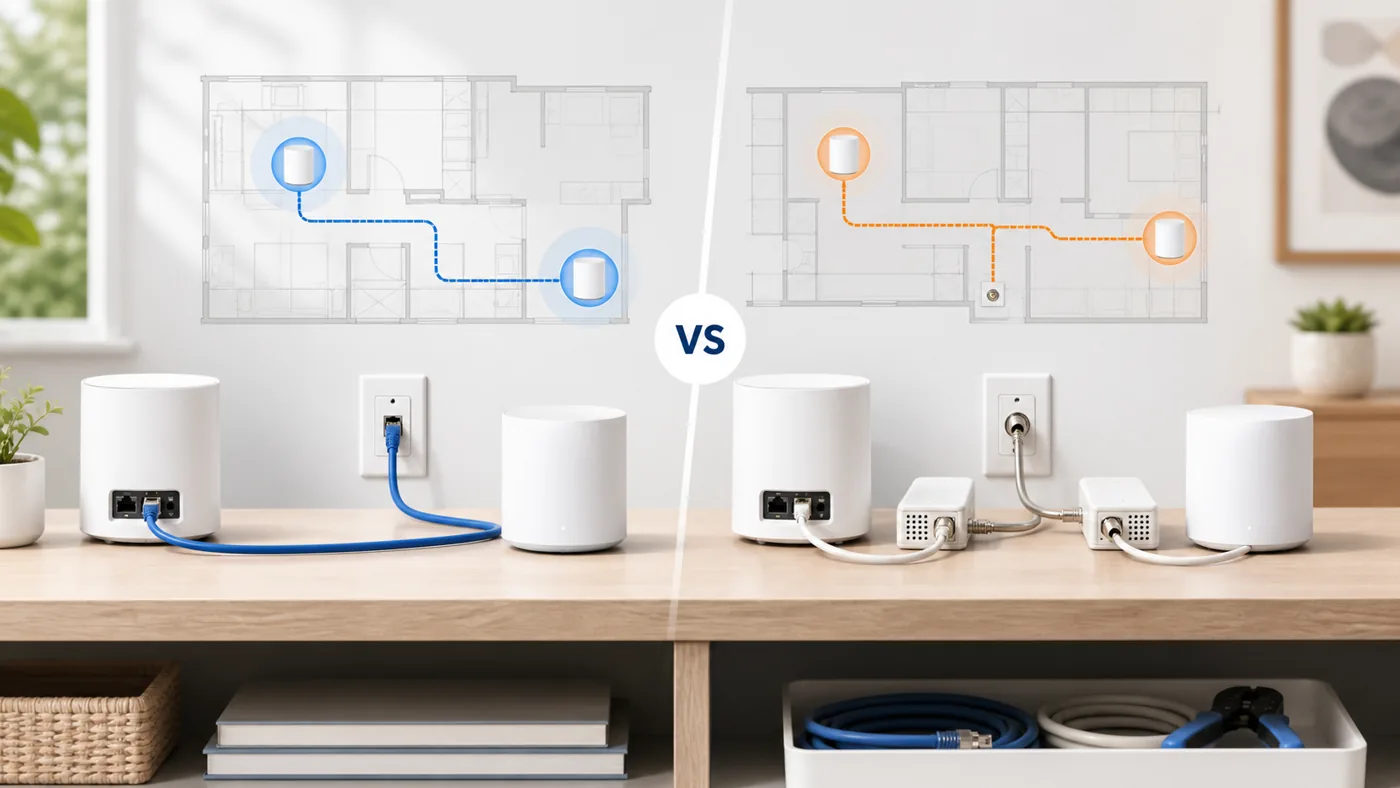
Before you buy MoCA adapters, prove the coax path
If both rooms already have coax, MoCA is usually the right retrofit. But adapter quality is rarely the first failure point. Before ordering a kit, confirm the two wall jacks meet in the same splitter tree, look for old 5-1000 MHz splitters or TV amplifiers, and plan for a PoE filter when the coax still touches a cable provider feed.
That sequence keeps this decision simple: run Ethernet when cable is realistic, use MoCA adapters when coax is proven, and use the MoCA checklist when the link is uncertain.
Choose the wired fix by what you already have
Ethernet is still the cleanest backhaul when pulling cable is realistic. MoCA is the retrofit answer when the rooms already have coax and the problem is a weak wireless hop. Use this as the first decision before buying mesh nodes or adapters.
| Your situation | Best first move | Next page |
|---|---|---|
| You can run Cat5e/Cat6 to the room | Use Ethernet and spend money on good node placement, not extra adapters. | Ethernet backhaul setup |
| You have coax near the router and dead-zone room | Use MoCA 2.5, but prove the coax path and splitter rating before ordering a kit. | Choose MoCA adapters |
| The coax jacks are unproven or the link is flaky | Trace the splitter tree, PoE filter, amplifier, and wall-jack path first. | MoCA not working checklist |
| You rent or cannot drill, and coax is not connected | Try placement or a returnable fallback before committing to a larger mesh kit. | MoCA vs Ethernet vs powerline |
What “backhaul” means (and why it affects dead zones)
In a mesh system, each extra hop over WiFi costs you capacity and adds variability. A wired backhaul means your satellite nodes don’t need to spend airtime talking to each other, so they can spend more airtime talking to your devices. That typically results in:
- Better speeds at the far end of the house
- More stable video calls
- Fewer “my WiFi shows full bars but feels slow” complaints
Start with the hub if you want the fundamentals: Backhaul basics.
MoCA vs Ethernet: the real-world comparison
1) Speed (throughput)
Ethernet is straightforward: Cat5e supports 1 Gbps to 100m; Cat6/6A can do more depending on gear and run length. In practice, Ethernet gives you “line-rate” performance with minimal overhead.
MoCA depends on the version and your coax topology. Modern adapters (MoCA 2.5) often deliver hundreds of Mbps to ~1+ Gbps of real throughput in typical homes, but performance can vary with splitters, run lengths, and noise.
Rule of thumb: If your goal is “make remote rooms feel like they’re on the router,” Ethernet wins. If your goal is “stop the mesh from melting down on wireless backhaul,” MoCA usually accomplishes that.
2) Latency and jitter
Ethernet has the edge: it’s typically lower latency and lower jitter than MoCA, and it stays consistent under load.
MoCA latency is still generally good for gaming and video calls, but it can be a bit higher and can vary more depending on coax conditions and adapter quality.
3) Reliability and stability
Ethernet is the “set it and forget it” baseline: once a cable run is good, it tends to stay good.
MoCA is also very stable when installed correctly, but it is more sensitive to:
- Old or damaged coax
- Bad splitters (not MoCA-rated)
- Amplifiers/filters left over from cable TV setups
- Missing or incorrect MoCA POE filter (point-of-entry filter)
If you’re considering MoCA, you should also be ready to troubleshoot coax topology if something doesn’t link. This guide can help: MoCA troubleshooting.
4) Installation difficulty
Ethernet difficulty ranges from easy (a short run along baseboards) to hard (fish tape through walls, attic, crawlspace). If you hire it out, cost can jump quickly.
MoCA difficulty is usually “moderate”: you’ll install an adapter near the router and one near the remote node, then ensure the coax plant is connected correctly (splitters, POE filter). No drywall work in many cases.
5) Total cost
Ethernet cable and keystone jacks are cheap, but labor/time is the wildcard.
MoCA adapters cost more up front (you typically need two), but you may avoid labor costs.
Decision guide: which should you pick?
Pick Ethernet if…
- You can run Cat5e/Cat6 without major surgery
- You want the most predictable performance for gaming/work calls
- You’re wiring a new build or renovating anyway
Pick MoCA if…
- You already have coax in the rooms you care about
- Running Ethernet is expensive or impractical (finished basement, multi-story, rentals)
- You want a big improvement over wireless backhaul without opening walls
Common gotchas (that change the answer)
Do you have a spare coax jack in the right places?
MoCA is only as useful as your coax layout. If the coax in the office is disconnected, you may need to rework splitters or move connections at the central coax panel.
Are you using cable internet?
MoCA and DOCSIS can coexist, but you need correct splitter ratings and usually a POE filter. If you have cable TV service, you may also need to avoid or bypass certain amplifiers. If you’re not sure, start with MoCA troubleshooting and map your coax.
Do you need multi-gig?
If you’re planning a 2.5 Gbps+ LAN or multi-gig internet, Ethernet (or fiber) is the cleanest path. MoCA can still help, but your ceiling depends on adapter and coax conditions.
Recommended next steps
- If you can run Ethernet reasonably, do it—especially to stationary nodes (office, TV area).
- If you can’t, try MoCA 2.5 as a retrofit backhaul and validate link rates.
- After wiring the backhaul, place your mesh nodes for coverage (not to “bridge” weak WiFi). See: Mesh WiFi guides.
Related next steps
- Backhaul basics if you are still choosing the overall fix.
- Ethernet backhaul setup if a cable run is possible.
- How to choose MoCA adapters once the coax path is proven.
- MoCA splitters and filters before you rebuild the coax panel.
- Mesh WiFi guides after the wired backhaul is working.