
Deco X55 (3-pack)
View on Amazon ↗Why it works
Great value, Good coverage, Good app
Best for
budget, 2000-5000 sqft
This guide is for households using Xfinity. Start with the setup path: gateway/router mode, bridge or AP mode, wiring/backhaul constraints, and whether mesh is even the right fix. Product picks come after those decisions.
ISP setup checklist
Xfinity note: Xfinity gateways often live on an exterior wall. If you can’t move it, plan on backhaul to get Wi‑Fi to the center of the house.
| Xfinity setup | Use this mode | What to fix next |
|---|---|---|
| You want your mesh app to manage routing, parental controls, and port forwards | Put the Xfinity gateway in bridge mode and let the mesh be the router. | Place the main mesh unit away from the coax entry if you can, then wire distant nodes. |
| You need the xFi gateway features, rented equipment discount, or a simpler rollback | Leave the gateway as router and run the mesh in access-point mode. | Turn off duplicate Wi-Fi names on the gateway if devices keep roaming to the weak radio. |
| The gateway is stuck on an exterior wall or utility panel | Keep either routing mode, but treat backhaul as the real upgrade. | Use Ethernet if available; otherwise check Xfinity MoCA before buying extra mesh nodes. |
What to do first:
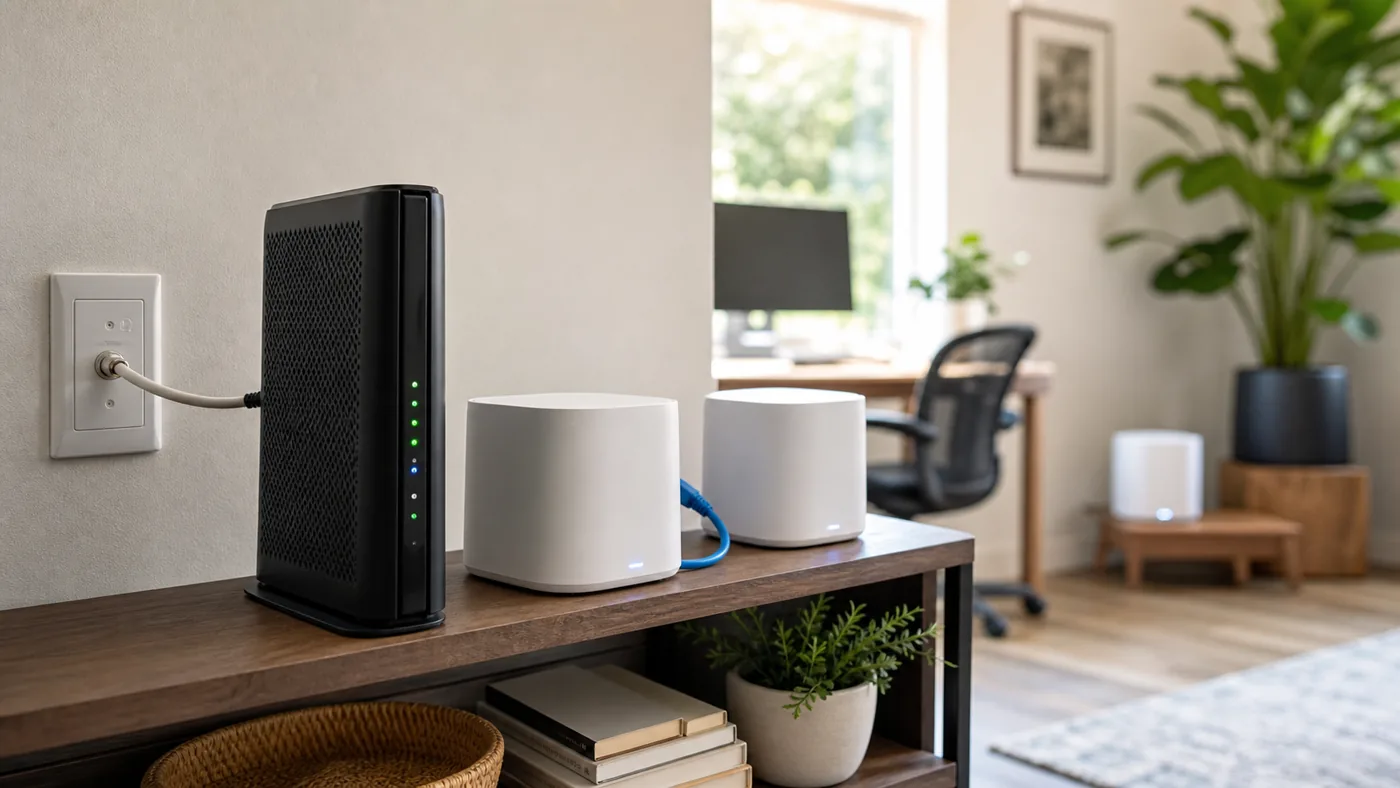
With Xfinity, the main question is whether the xFi gateway keeps routing or your mesh takes over. If you want the mesh app to handle DHCP, port forwards, parental controls, and gaming rules, put the gateway in bridge mode and let the mesh be the router. If you want to keep xFi features, rented-gateway support, or an easy rollback path, leave the gateway routing and run mesh in access point mode.
Do not leave both boxes acting as routers unless you have a specific reason. That double-NAT setup can make consoles, VPNs, cameras, and port forwards feel randomly broken.
Xfinity homes often have coax in exactly the rooms where Wi‑Fi needs help. If the gateway has usable MoCA, you may be able to enable it and use one adapter at the remote mesh node. If not, use a two-adapter MoCA setup, MoCA-rated splitters, and a point-of-entry filter at the coax entry. If the gateway is stuck on an exterior wall, this wiring decision matters more than buying a bigger mesh kit.
After setup choice
Use the picks below only after you choose router mode, AP mode, and backhaul. The same hardware can be great or frustrating depending on that setup.
As an Amazon Associate I earn from qualifying purchases.
| Pick | Why it works | Best for |
|---|---|---|
| Deco X55 (3-pack) Amazon ↗ | Great value, Good coverage, Good app | budget, 2000-5000 sqft |
| eero 6+ (3-pack) Amazon ↗ | Easy setup, Good for most homes, Solid value | 2000-4500 sqft, most ISPs, simple management |
| Deco XE75 (3-pack) Amazon ↗ | Wi-Fi 6E, Good throughput | newer devices, higher speeds |
Why it works
Great value, Good coverage, Good app
Best for
budget, 2000-5000 sqft
Why it works
Easy setup, Good for most homes, Solid value
Best for
2000-4500 sqft, most ISPs, simple management
Why it works
Wi-Fi 6E, Good throughput
Best for
newer devices, higher speeds
If you’re seeing inconsistent nodes / stubborn dead zones, wired backhaul is the fix.

goCoax MoCA 2.5 Adapter (2-Pack) with 2.5GbE Ethernet Port | MA2500D Ethernet Over Coax for Gaming & 4K Streaming | 2…
Best for: a verified coax LAN path needing two endpoints
Skip this if: Working Ethernet or existing compatible MoCA already meets the need, or the coax carries satellite/unknown shared or ISP service. Map the path before buying; do not buy two new adapters when only one peer is missing.
Check before buying: Needs at least two compatible MoCA peers on a connected 1125–1675 MHz path. Count a compatible built-in LAN MoCA peer before ordering; verify active ISP spectrum and splitters. Not for active satellite coax.
AI-assisted manufacturer-document review, not hands-on testing.
goCoax MA2500D, 2.5GbE port, two-adapter pack. Verify pack quantity and included power supplies in the selected listing.
Retailer reported in stock (2026-09-13). Availability checks are not editorial approval.

Filter, MoCA POE for Cable TV & OTA coaxial Networks ONLY
Best for: MoCA installs
Best for: MoCA installs

GE RG6 Coaxial Cable, 25 ft. F-Type Connectors, Quad Shielded Coax Cable, 3 GHz Digital, In-Wall Rated, Ideal for TV…
Best for: MoCA installs, coax cleanup

TP-Link Deco X55 AX3000 WiFi 6 Mesh System - Covers up to 6500 Sq.Ft, Replaces Wireless Router and Extender, 3 Gigabi…
Best for: budget, 2000-5000 sqft
Watch outs:

Amazon eero 6+ mesh wifi system - Supports internet plans up to a Gigabit, Coverage up to 4,500 sq. ft., Connect 75+…
Best for: 2000-4500 sqft, most ISPs, simple management
Watch outs:

TP-Link Deco XE75 AXE5400 Tri-Band WiFi 6E Mesh System - Wi-Fi up to 7200 Sq.Ft, Engadget Rated Best Mesh for Most Pe…
Best for: newer devices, higher speeds
Watch outs:
Yes. The key is your modem/gateway mode and avoiding double-NAT.
Not always. Many people keep the ISP gateway and run mesh in AP mode.
Two routers doing NAT can break gaming/port-forwarding and cause weird connectivity issues.
If your ISP supports it, bridge mode + your mesh as the router is a clean setup.
Yes—especially if your gateway is stuck in a corner or utility room.
Next steps