
MoCA for mesh backhaul
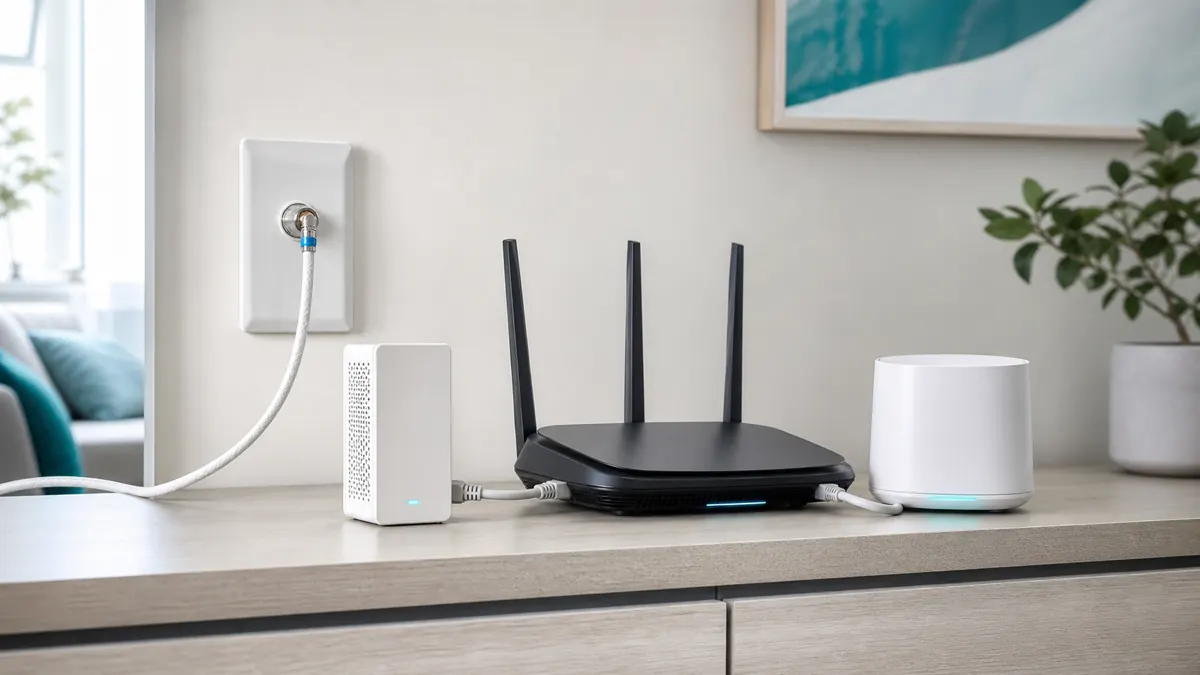
Inconsistent mesh Wi‑Fi does not by itself identify a backhaul fault. First compare the affected room with a wired connection and check node placement. If the wireless backhaul is the limiting link, compatible existing coax may provide a wired path for a mesh node.
Quick take
Coax jacks in both rooms are a starting point, not proof of a usable MoCA path. Identify how the rooms connect and which services share the coax before choosing parts. Start from the dead-zone diagnosis if you have not confirmed the bad room is a backhaul problem yet.
Before you buy
Identify the missing part before buying. Keep working equipment and check the complete path:
- Adapters: count compatible LAN MoCA peers first. An existing compatible peer may mean only one new adapter is needed.
- Splitter: check the exact model and required band. Keep a compatible splitter when the link passes testing; age alone is not a replacement reason.
- Point-of-Entry filter: confirm the active service, location and passband with the provider. Do not add an entry filter to an isolated room-to-room coax link just to complete a bundle.
1) When MoCA is the right move (and when it isn’t)
- Great fit: you have coax in the rooms that need better Wi‑Fi, and you cannot (or do not want to) run Ethernet.
- Also great: your router is stuck in a corner/utility room and mesh nodes need a reliable uplink.
- Not a fit: no usable coax path between rooms, or coax is on a provider-managed system you can’t touch.
Background: What is MoCA? If you’re deciding between adding nodes vs wiring one node, start with mesh vs backhaul. If the symptom you’re chasing is really plural room coverage gaps, use how to fix Wi‑Fi dead zones or Wi‑Fi dead spots.
2) The 3 things that decide whether MoCA will work
Coax topology
Trace which splitter legs connect the rooms and identify any amplifier. Do not disconnect or bypass provider equipment or an unknown WAN path.
POE filter placement
A filter belongs only at the confirmed service-specific boundary, with the wanted provider spectrum preserved. It must not block the path between the intended LAN peers.
Guide: MoCA POE filter placement.
Adapter capability
Check the exact peer models, supported band and Ethernet ports. The goCoax MA2500D example uses MoCA 2.5 and one 2.5GbE port; do not assume every existing peer has those capabilities.
Picks: best MoCA adapters.
3) Parts only after the path checks
The following are individual parts to consider only when a check identifies a need. They are not a required shopping list. If the existing setup works, keep it.
MoCA adapter example: not a required kit
This example is a two-adapter pack. Count existing compatible LAN peers first; do not buy two new adapters when only one is missing. Keep working splitters and cables; use the service-specific checks before considering other parts.

goCoax MA2500D (two-adapter pack)
goCoax MoCA 2.5 Adapter (2-Pack) with 2.5GbE Ethernet Port | MA2500D Ethernet Over Coax for Gaming & 4K Streaming | 2…
Best for: a verified coax LAN path needing two endpoints
- MoCA 2.5 with one 2.5GbE Ethernet port per adapter
- Two compatible peers required; count existing LAN MoCA equipment
Skip this if: Working Ethernet or existing compatible MoCA already meets the need, or the coax carries satellite/unknown shared or ISP service. Map the path before buying; do not buy two new adapters when only one peer is missing.
Check before buying: Needs at least two compatible MoCA peers on a connected 1125–1675 MHz path. Count a compatible built-in LAN MoCA peer before ordering; verify active ISP spectrum and splitters. Not for active satellite coax.
Product fit and sources · 2026-09-13
AI-assisted manufacturer-document review, not hands-on testing.
goCoax MA2500D, 2.5GbE port, two-adapter pack. Verify pack quantity and included power supplies in the selected listing.
Retailer reported in stock (2026-09-13). Availability checks are not editorial approval.
Next: What is MoCA? · MoCA starter bundle · MoCA troubleshooting · MoCA adapters (quick picks)
Mesh-system handoff: what to do after the coax link is live
| Mesh setup | Best next move | Common mistake |
|---|---|---|
| A mesh node whose exact model supports Ethernet backhaul | Follow the model-specific port and topology instructions, then confirm the app reports wired/Ethernet backhaul. | Assuming it is wired just because the cable is plugged in. |
| ISP gateway plus separate mesh router | Check the gateway and mesh documentation before choosing router, bridge or AP mode; preserve the intended LAN MoCA path. | Letting both boxes route the network. |
| One remote room with multiple wired devices | Put a small gigabit switch after the MoCA adapter. | Buying extra adapters when one adapter plus a switch would do. |
4) Wiring patterns that work (router, gateway, and mesh)
A common layout uses a compatible LAN MoCA peer at each end of the coax path. A compatible built-in LAN peer can replace one external adapter; a provider WAN link is not automatically that LAN peer.
Diagram
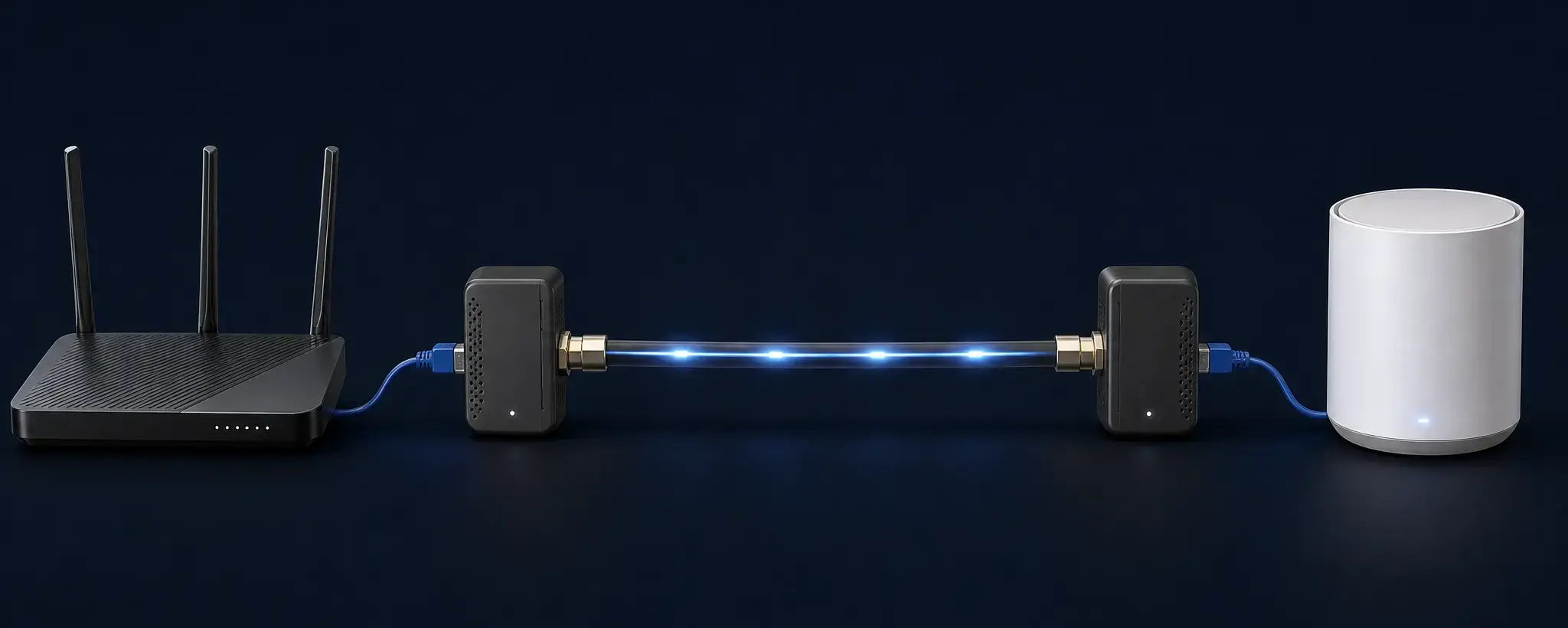
Two MoCA adapters turn your existing coax into a wired link for a mesh node (splitter/filter details vary by home).
Tip
If your ISP gateway has compatible LAN MoCA built-in and enabled, you might need only one external adapter on the far end. ISP specifics: Xfinity, Cox, Spectrum, Verizon Fios.
5) How to connect the mesh node (Ethernet backhaul settings)
Confirm that the exact mesh node supports Ethernet backhaul and follow its port/topology instructions. Two checks matter:
- Do not double-router by accident: check the manufacturer topology guidance before changing gateway or mesh modes; do not disable a needed LAN MoCA peer to follow a generic diagram.
- Use a switch if you need more ports: one MoCA adapter can feed a small switch to hardwire multiple devices in that room.
If you are unsure whether your symptoms are placement or backhaul, do the Wi‑Fi walk test first.
6) Common MoCA gotchas (the stuff that wastes weekends)
- Splitter compatibility: verify the exact part and coax path; replace only an identified incompatible or failed LAN-side part.
- Amps/filters: identify their purpose with the provider before changing them; do not bypass powered service equipment.
- Filter location: use the confirmed service-specific boundary and passband, never a generic rule for every incoming coax.
- Satellite, WAN or shared-building coax: stop and obtain provider approval for a separate compatible LAN path; standard D-band MoCA overlaps satellite frequencies.
7) Test it like a pro (fast verification)
10-minute verification checklist
- Use the exact adapter manual to interpret the link indicators; there is no universal LED color or pattern.
- Open the mesh app and confirm the node reports wired/Ethernet backhaul, not wireless.
- Run a speed test near the remote node, then again on a wired device plugged into the node.
- Compare a wired LAN transfer at the remote adapter with the same endpoints on Ethernet before attributing an internet-speed result to coax.
If anything is flaky, use: MoCA troubleshooting.
8) Alternatives if MoCA is not possible
- Ethernet: best when you can run cable. Start: Ethernet backhaul basics.
- Powerline: last resort. Read: powerline adapters.
- Point-to-point wireless: best for detached buildings (garage/shed) when trenching is not an option.
Source checked September 21, 2026: goCoax MA2500D installation notes. This is a model-specific documentation example, not hands-on testing or a universal ISP wiring plan. Follow the service-specific splitter and filter checks.
Next steps
- Parts sanity check: splitters & POE filters
- Big picture: wired backhaul for mesh
- Parts after diagnosis: MoCA starter bundle
- Still have dead zones: fix Wi‑Fi dead zones